Passenger

Early development ยท Open source, MIT

An IDE for C# and .NET, written in C#.

Inspired by Rider: an editor of its own over Roslyn, a debugger and a profiler of its own, unit tests, Git, NuGet and a terminal. And an MCP server, so your agent works in the same IDE you do.

For Windows and macOS, with builds for Linux.

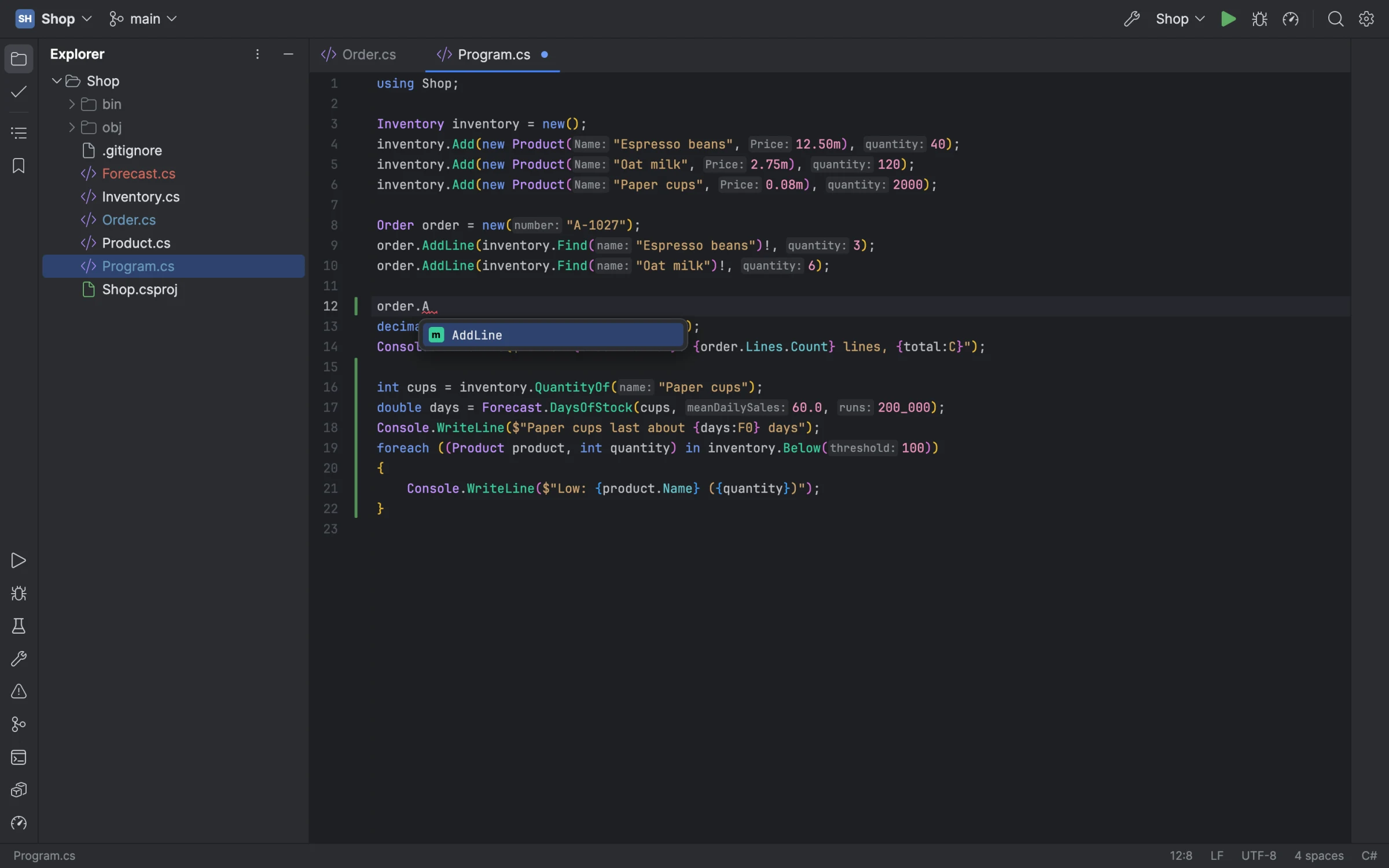
Passenger's editor: completion open after a dot, parameter name hints before literal arguments, and the change bars of uncommitted lines

A whole IDE, in one language

Everything in Passenger is .NET, from the window to the debugger, built on the libraries a C# IDE needs: Roslyn, MSBuild, ICorDebug, EventPipe and VSTest.

The editor

A text control of its own over an immutable rope: multiple carets, code folding, Extend Selection, live and postfix templates, and Rider's Visual Studio keymaps with their chords. It keeps up with every keystroke in a 50,000-line file.

C# from Roslyn

Colours, diagnostics, completion, hovers and signature help, quick fixes and refactorings, rename, Go to Declaration and Implementation, Find Usages, call and type hierarchies, and decompiled library sources.

Build and run

A Solution view of your projects, builds with their errors in Problems, run configurations from your launch profiles, and Hot Reload under dotnet watch.

Unit tests

xUnit, NUnit and MSTest found and run through VSTest, run marks in the gutter, results by project, class and method, failures rerun, and any test debugged.

NuGet

Search nuget.org, then install, update and remove packages for each project, with central package management.

Terminal

A terminal emulator of its own with a shell per tab, where vim, less and htop run full-screen.

A debugger of its own

Over the runtime's ICorDebug: breakpoints with conditions, hit counts and log messages, stepping through async code, Run to Cursor and Set Next Statement, the call stack and threads, variables you can open and set, watches and evaluation, and the values each line used drawn after it.
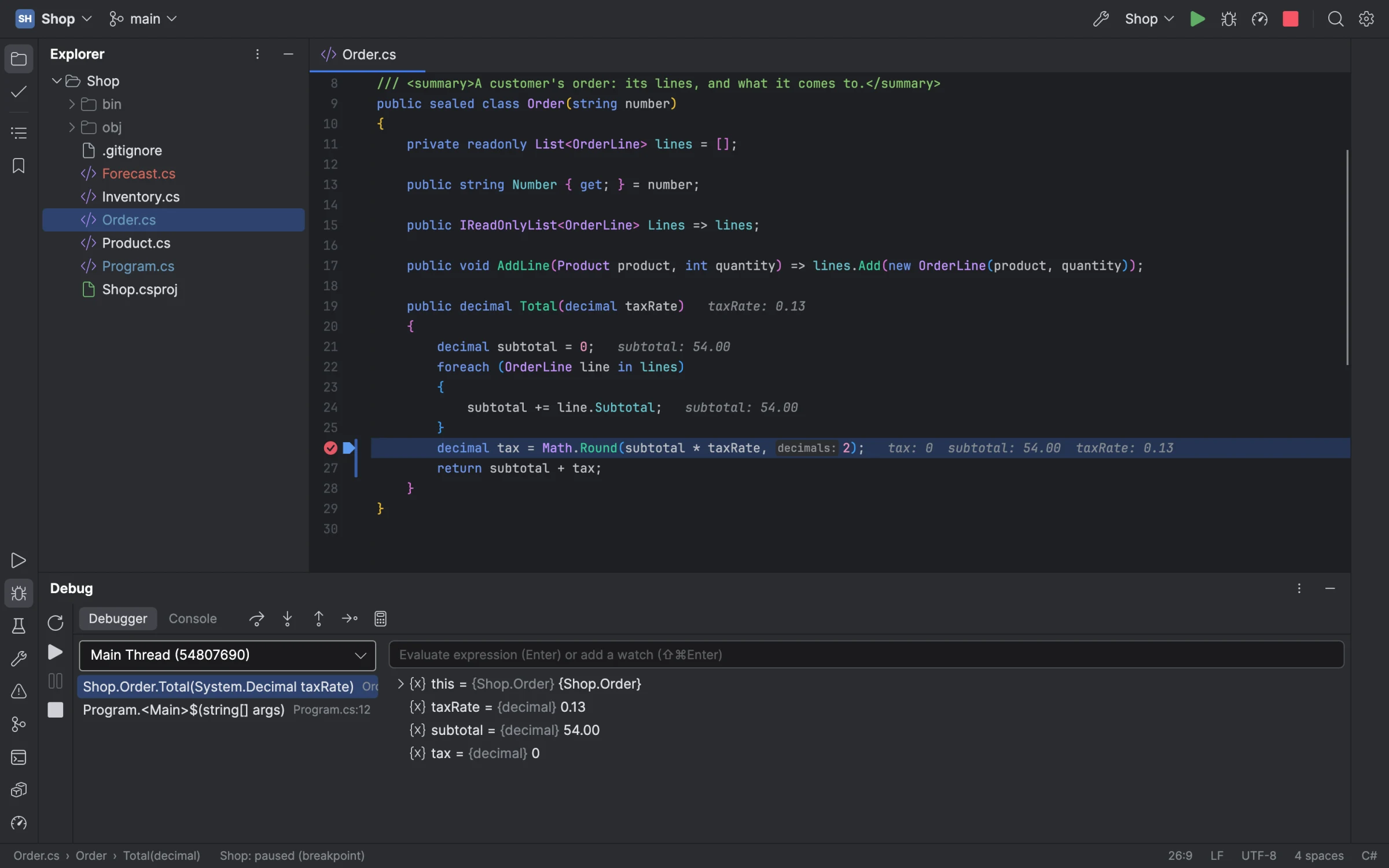
Stopped at a breakpoint: the line's values after its code, and the Debug window's frames and variables

A profiler too

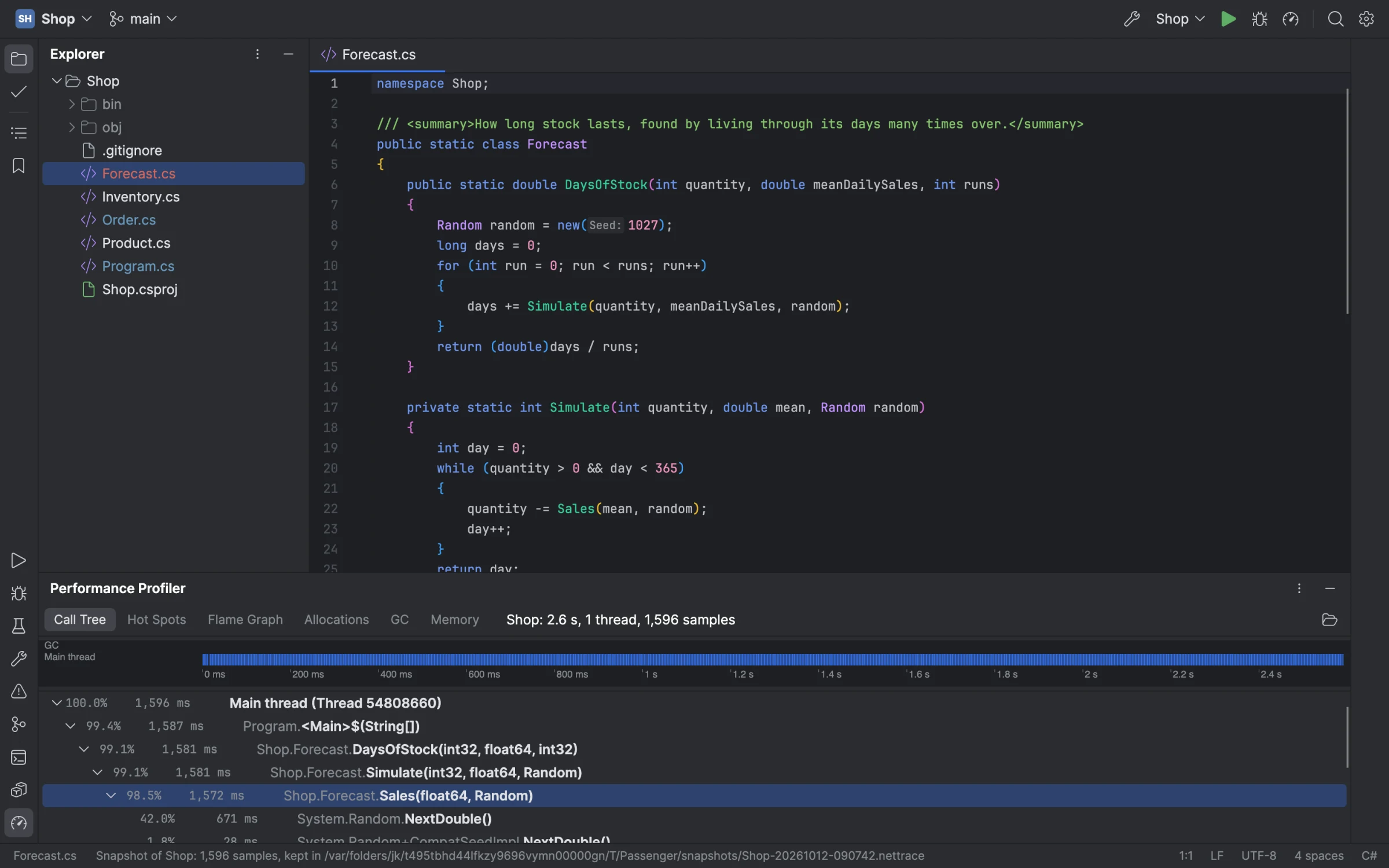
Sampling over EventPipe, from a program's first instruction: its call tree, hot spots, flame graph, allocations and garbage collections, narrowed to any stretch of the timeline. A memory snapshot counts a running program's heap by type.

A profile of a sample program: the timeline above the call tree, its hot path opened

Git

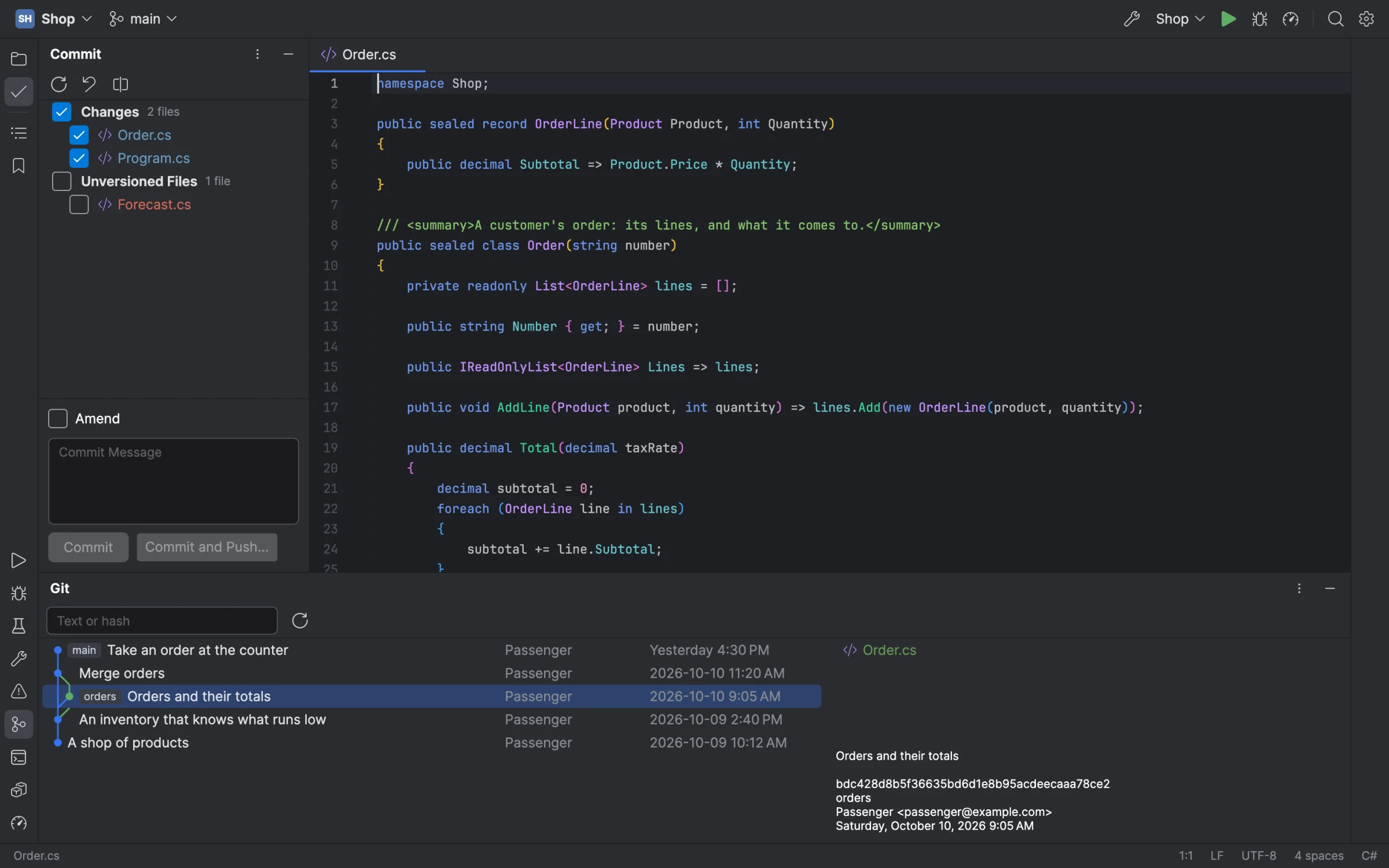
The Commit window with its changes, the log with its branch graph, side-by-side diffs, blame, change bars in the gutter that roll a change back, branches, stashes, push, pull and fetch.

The Commit window beside the editor, and the Git log with a commit's details

Find anything

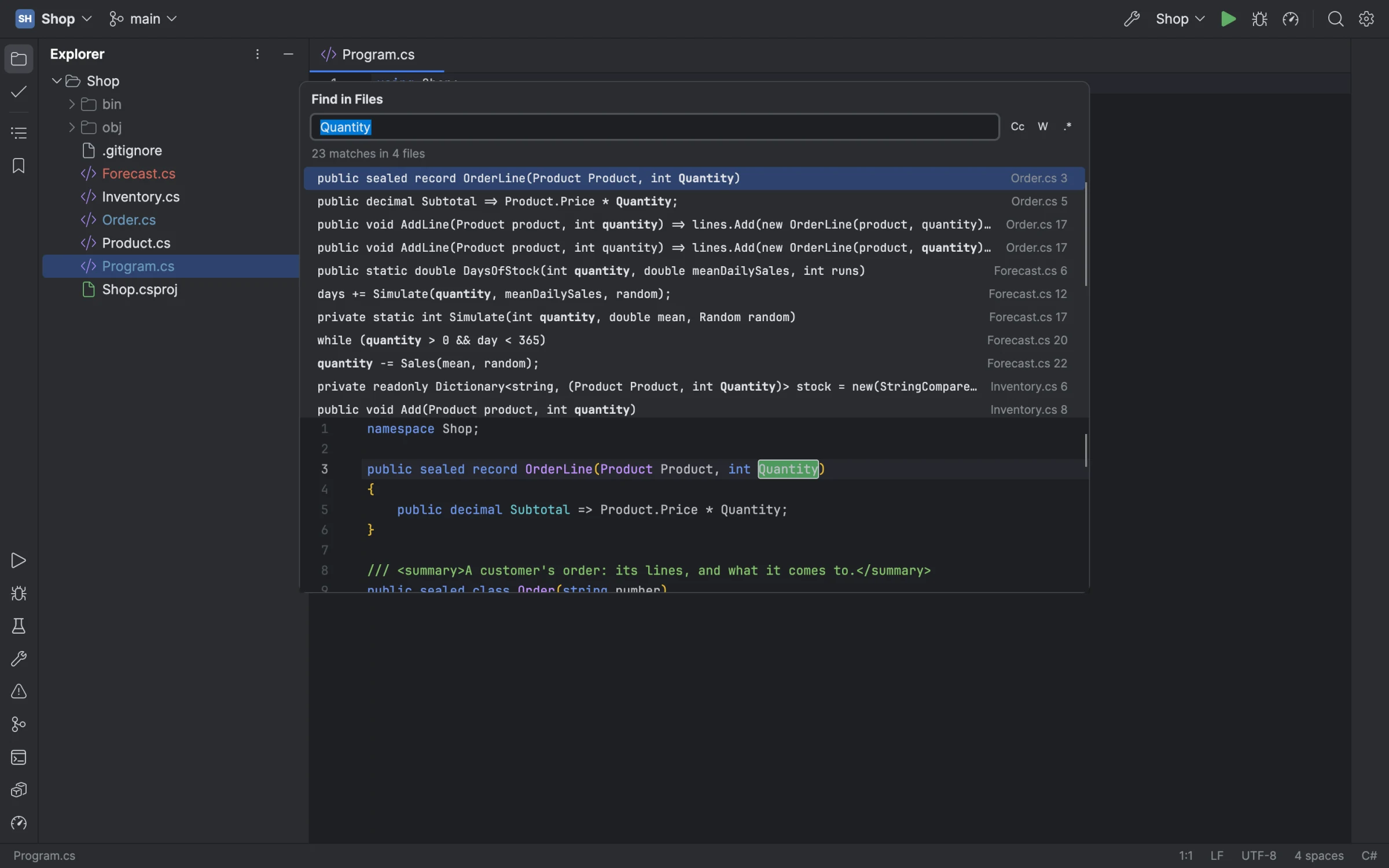
Search Everywhere, Go to File, Go to Symbol and Find Action, Find and Replace in Files with a preview, Recent Files, bookmarks and File Structure.

Find in Files: every match with its file and line, the chosen one previewed below

Your agent, in the same IDE

Passenger is a Model Context Protocol server. A coding agent can ask Roslyn about your code and use its fixes and renames, build and run, run tests, debug (breakpoints, stepping, evaluation, the stopped program's variables), use Git and NuGet, type into the terminal, and see the window in screenshots.

Attach it to the window you have open, and its breakpoints and stops show there as you watch. A window listens on a socket only you can reach.

# a Passenger of the agent's own, with no window
claude mcp add passenger -- \
    /path/to/Passenger --mcp /path/to/solution

# the Passenger window you have open
claude mcp add passenger -- \
    /path/to/Passenger --mcp-attach

Those are Claude Code's commands; any MCP client works the same way.

Download

Passenger needs a .NET SDK, version 10 or later: it builds and runs your projects with it, and Roslyn's language server runs on it. Version control needs Git. Every release, with its notes and checksums, is on GitHub.